
A real payment form, native to Elementor
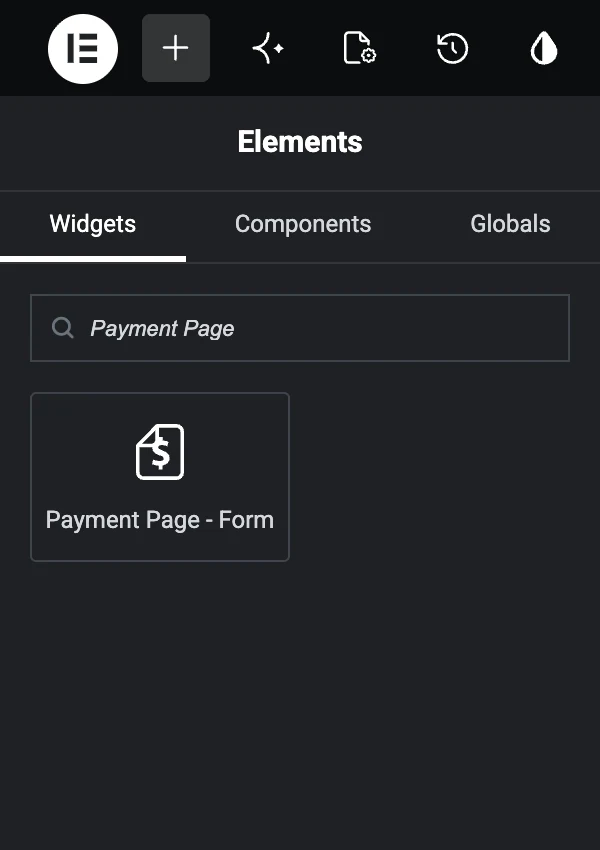
Payment Page adds a native Elementor widget — drag it into any layout, choose your form, and style it visually. Accept Stripe and PayPal without leaving the editor.
Design the whole page, payment form included
Create the payment form in Payment Page, then select it from the native Elementor widget. Gateway and billing eligibility still comes from the form, plan, connected account, method, and transaction.
- Native Payment Page widget
- Elementor Page Templates for complete pages
- Shortcode placement outside the widget
Add a payment form in four steps
- Step 01
Install Payment Page
Install the plugin and configure the payment gateway appropriate for the form.
- Step 02
Build a form
Create your payment form or import a Payment Form Template, then set prices, amounts, and methods.
- Step 03
Drag in the Elementor widget
Open Elementor, drag the Payment Page widget onto the page, and select your form.
- Step 04
Review and publish
Review the page, form settings, payment methods, responsive layout, and test-mode behavior before publishing.
Copy a form into any shortcode-friendly layout
Each payment form has a shortcode you can place in the block editor, another page builder, or a compatible theme area.
[payment-page-payment-form id="123"]Official Elementor references
Behaviour that belongs to the provider is documented by the provider. These are the pages to check when eligibility or requirements change.
- Elementor widget developer docsHow Elementor widgets are registered and rendered.
- Elementor on WordPress.orgThe plugin this integration requires, with its own compatibility requirements.
Elementor questions, answered
Is there a native Elementor widget?
Yes. Payment Page ships a native Elementor widget — drag it into any section, pick the form you built, and style it visually without touching code.
How do the template types differ?
An Elementor Page Template designs the complete page. A Payment Form Template designs the standalone payment form inside it.
Can I style the form to match my theme?
Elementor controls cover page-level spacing, backgrounds, borders, positioning, and responsive behavior. Payment Page has its own form styling controls. Review both on your theme before publishing.
Can I place a form without Elementor?
Yes. Use the Payment Page shortcode anywhere your WordPress site accepts shortcodes.
Build your WordPress payment form.
Start free on WordPress.org. Choose Pro when you want ACH Direct Debit or no Payment Page platform fee on Stripe payments.